

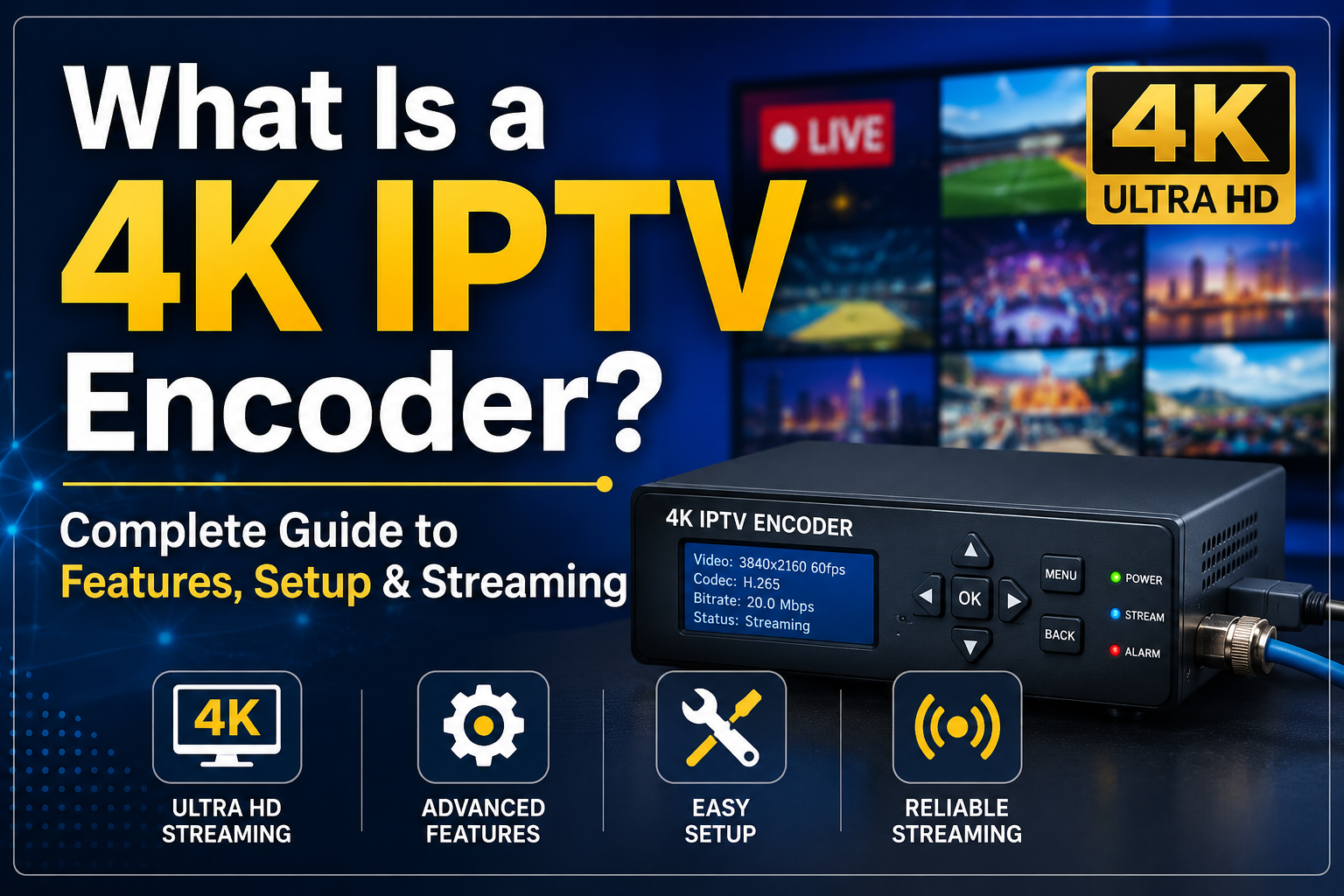
4k iptv encoder If you have ever tried to stream a live local sports game or a community event online, you probably know that sinking feeling when the video starts buffering or looks blocky. Standard definition streaming just does not cut it anymore. Audiences expect crisp, clean video that looks just like traditional cable television, if not better. That is where a 4k iptv encoder comes into play. It takes raw video feeds from your camera, switcher, or computer and transforms them into digital streams that can travel across the internet to viewers worldwide.
Getting crystal-clear video to thousands of screens simultaneously is not an accident. It requires the right hardware, proper configuration, and an understanding of how compression works behind the scenes. If you want to build a reliable broadcasting setup, understanding the role of a 4k iptv encoder is your first step. Let us break down everything you need to know about these powerful boxes and how to make them work for your streaming workflow.
What Is a 4k IPTV Encoder and How Does It Work?
At its core, a 4k iptv encoder is a hardware device or software solution that takes an uncompressed video signal and compresses it into a format suitable for IP networks. Think of it as a translator between your physical video source and the digital internet. When you plug a camera into a 4k iptv encoder, the device grabs millions of pixels per second at 3840×2160 resolution.
Because raw 4k video files are massive and would instantly choke any internet connection, the 4k iptv encoder uses compression algorithms to shrink the file size. It throws away redundant visual data that the human eye barely notices while keeping the core image sharp. Once compressed, the 4k iptv encoder packages the video into streaming protocols like SRT, RTSP, RTMP, or HLS.
This packaged stream is then pushed out over your local network or the public internet to a media server or content delivery network. Without a reliable 4k iptv encoder, high-bitrate Ultra HD broadcasting simply would not be possible for independent creators or businesses. Every smooth frame your audience sees on their smart TVs or mobile devices starts with the heavy lifting done by the 4k iptv encoder at the source.
Why Upgrade to a 4k IPTV Encoder for Your Streaming Setup?
Sticking with older 1080p hardware might feel safe, but the industry is shifting rapidly toward ultra-high-definition content. Investing in a professional 4k iptv encoder opens up new doors for quality and audience retention. Viewers today watch content on large 4K living room displays, meaning standard definition or compressed 1080p feeds often look blurry or pixelated.
Using a dedicated 4k iptv encoder ensures your video retains incredible detail, vibrant colors, and sharp text overlays. This level of clarity is vital for houses of worship, live event producers, and corporate broadcasters who want to project professionalism. Furthermore, a modern 4k iptv encoder future-proofs your broadcasting infrastructure. Instead of replacing equipment every couple of years, a high-end 4k iptv encoder handles heavy workloads and adapts to modern codecs effortlessly.
Another major advantage of using a hardware-based 4k iptv encoder is reliability. Unlike software encoding running on a shared computer, a dedicated 4k iptv encoder runs on a specialized operating system designed solely for video compression. This separation of concerns prevents dropped frames, thermal throttling, and unexpected crashes during critical live broadcasts.
Key Features to Look for in a Modern 4k IPTV Encoder
Shopping for hardware can feel overwhelming because spec sheets are filled with jargon. When evaluating a 4k iptv encoder, you need to look past the marketing terms and focus on features that impact daily performance. First, check the physical video inputs available on the 4k iptv encoder. Most professional models offer HDMI and 12G-SDI connections, allowing you to plug in everything from mirrorless cameras to high-end broadcast switchers.
Encoding standards are another critical factor. A reliable 4k iptv encoder should support both H.264 and HEVC (H.265) compression. While H.264 is widely compatible, HEVC allows you to stream stunning 4K video at half the bandwidth required by older codecs. This efficiency makes a 4k iptv encoder invaluable if your internet upload speed is limited.
Network connectivity options also matter immensely. Look for a 4k iptv encoder that features Gigabit Ethernet ports for stable wired connections. Some advanced models even include Wi-Fi capabilities or cellular bonding support, giving you failover options if your primary internet line drops out mid-stream.
Setting Up Your First 4k IPTV Encoder: A Practical Guide
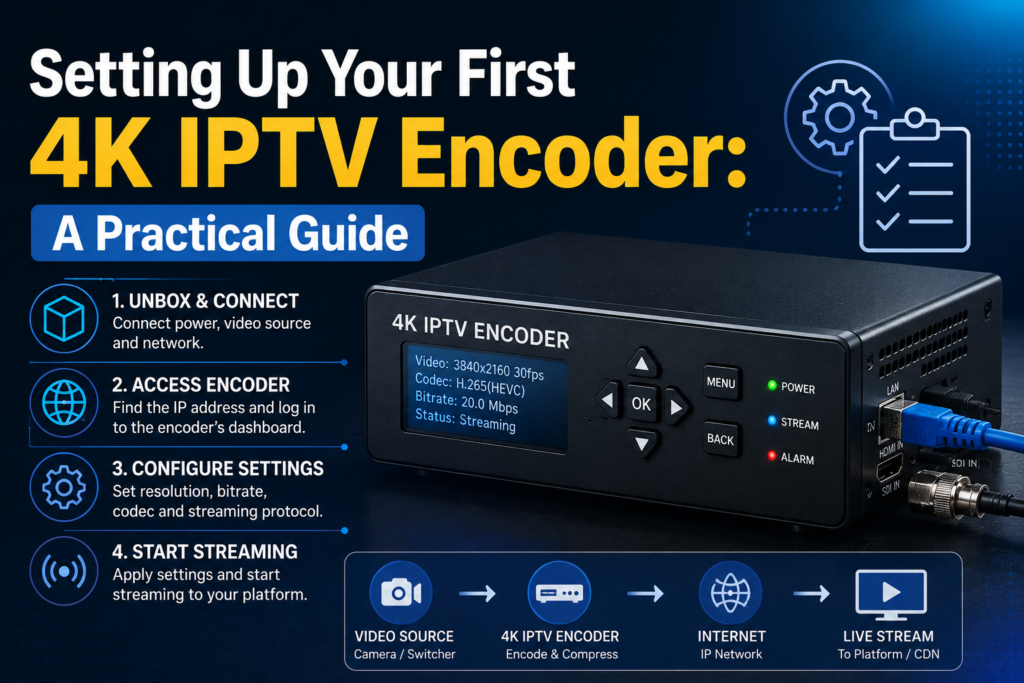
Getting your hardware up and running does not have to be a nightmare if you take a methodical approach. Once your 4k iptv encoder arrives, unbox it and connect the power supply along with a solid Ethernet cable connected to your router. Plug your video source, such as a camera or switcher, into the input port of the 4k iptv encoder using a high-speed HDMI or SDI cable.
Next, you will need to access the management interface of the 4k iptv encoder. Most units assign an IP address via DHCP, which you can find using a network scanning tool or by checking your router’s admin panel. Type that IP address into your web browser, log in using the default credentials, and head straight to the network settings to assign a static IP if needed.
Inside the dashboard, navigate to the encoding parameters. This is where you configure your resolution, target bitrate, and frame rate. For a standard 4K stream, setting your 4k iptv encoder to 3840×2160 at 60 frames per second with a bitrate between 15,000 to 20,000 kbps is a common sweet spot, depending on your internet bandwidth. Finally, input your streaming destination URL and stream key provided by your media server, save the settings, and start your stream.
Hardware vs. Software Encoders: Which Wins for 4K?
Deciding whether to use a hardware 4k iptv encoder or a software-based setup on a powerful PC is a common dilemma. Both approaches have distinct advantages, but they cater to very different use cases. A software encoder gives you incredible flexibility, allowing you to add complex graphics, transitions, and multiple video sources easily using desktop applications.
However, encoding 4K video demands massive computing power. Running a software encoder at Ultra HD resolution can push your computer’s CPU and GPU to their absolute limits, leading to stuttering or system instability. On the other hand, a dedicated hardware 4k iptv encoder features an onboard ASIC chip designed specifically for video processing. This means the 4k iptv encoder handles the heavy mathematical lifting of compression without breaking a sweat.
For 24/7 streaming operations, digital signage networks, or live event production where failure is not an option, a hardware 4k iptv encoder is almost always the superior choice. It consumes less power, runs quieter, and maintains stable performance over days, weeks, or even months of continuous operation.
Managing Bandwidth and Network Requirements for Ultra HD
Streaming in Ultra HD requires respect for network infrastructure. Even the best 4k iptv encoder cannot perform miracles if your internet connection lacks the necessary upload capacity. When calculating your bandwidth requirements, you must look beyond your download speed and focus heavily on your stable upload throughput.
A typical 4K stream generated by a 4k iptv encoder requires an upload speed of at least 15 to 25 Mbps to ensure smooth delivery without packet loss. Always leave a safety buffer of about 30% overhead so that network fluctuations do not cause buffering for your viewers. If your local internet service provider experiences congestion during peak evening hours, your 4k iptv encoder might struggle unless you implement Quality of Service (QoS) rules on your router.
Using modern streaming protocols like SRT (Secure Reliable Transport) with your 4k iptv encoder can also protect your streams against packet loss and jitter over unpredictable public internet lines. SRT adds error correction and encryption, ensuring your 4K video reaches its destination intact even when network conditions fluctuate.
Common Mistakes to Avoid When Using a 4k IPTV Encoder
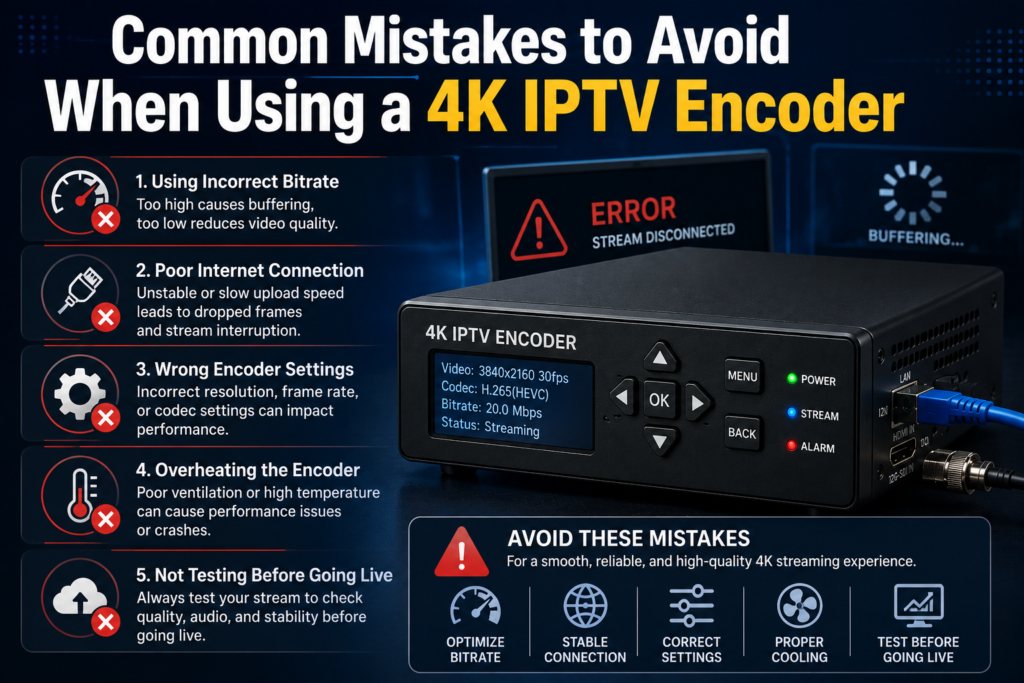
Even experienced broadcasters sometimes run into trouble by overlooking basic configuration details. One frequent mistake is mismatching the frame rate between the camera and the 4k iptv encoder. If your camera outputs 29.97 fps but your 4k iptv encoder is locked at 30 fps, you might experience micro-stutters or audio-video sync drift over time.
Another pitfall is ignoring thermal management. A high-performance 4k iptv encoder processes massive amounts of data and generates significant heat. Placing your 4k iptv encoder inside a closed cabinet or a cramped rack without proper ventilation can cause the device to overheat, leading to thermal throttling or automatic shutdowns in the middle of an important broadcast.
Finally, failing to update the firmware on your 4k iptv encoder leaves you vulnerable to bugs, security flaws, and missing feature updates. Manufacturers frequently release firmware patches that improve stability and add support for new streaming protocols. Make it a habit to check the manufacturer’s website periodically for updates to your 4k iptv encoder.
Frequently Asked Questions About 4k IPTV Encoders
What internet speed do I need for a 4k iptv encoder?
To run a 4k iptv encoder smoothly, you generally need a stable upload speed of at least 15 to 25 Mbps. This allows the encoder to push high-bitrate Ultra HD video to your destination server without causing buffering or packet loss for your audience.
Can a 4k iptv encoder stream to multiple platforms at once?
Many advanced models of a 4k iptv encoder feature multi-streaming capabilities, allowing you to push your video feed to platforms like YouTube, Facebook, and private servers simultaneously without needing external restreaming services.
Is HEVC necessary when using a 4k iptv encoder?
While not strictly mandatory if you have unlimited bandwidth, HEVC is highly recommended for a 4k iptv encoder because it cuts the required bandwidth in half compared to older H.264 compression while maintaining pristine 4K video quality.
Can I power a 4k iptv encoder using Power over Ethernet?
Many professional-grade 4k iptv encoder units support PoE (Power over Ethernet), meaning you can power the device and transmit data using a single Ethernet cable if your network switch supports the PoE standard.
Do I need cooling fans for my 4k iptv encoder?
Most enterprise and prosumer 4k iptv encoder models come with built-in passive or active cooling systems. Always ensure proper airflow around the chassis to prevent overheating during long streaming sessions.
Conclusion
Streaming in Ultra HD has evolved from an expensive enterprise luxury into an accessible reality for modern creators and businesses. By investing in a reliable 4k iptv encoder, you take full control of your video quality, ensuring your audience enjoys flawless, crystal-clear broadcasts every single time you go live. From understanding bitrate management and codecs to avoiding common setup mistakes, mastering your hardware transforms your entire production workflow. Choose the right 4k iptv encoder for your specific needs, configure your network with care, and elevate your streaming content to professional heights.